
221 lines
8.1 KiB
Markdown
221 lines
8.1 KiB
Markdown
<h1 align="center">Welcome to vue-xuadmin 👋</h1>
|
||
<p>
|
||
<img alt="Version" src="https://img.shields.io/badge/version-1.0.0-blue.svg?cacheSeconds=2592000" />
|
||
<img src="https://img.shields.io/badge/node-%3E%3D%206.0.0-blue.svg" />
|
||
<img src="https://img.shields.io/badge/npm-%3E%3D%203.0.0-blue.svg" />
|
||
<a href="https://github.com/Nirongxu/vue-xuAdmin/blob/master/README.md">
|
||
<img alt="Documentation" src="https://img.shields.io/badge/documentation-yes-brightgreen.svg" target="_blank" />
|
||
</a>
|
||
<a href="https://github.com/Nirongxu/vue-xuAdmin/blob/master/LICENSE">
|
||
<img alt="License: MIT" src="https://img.shields.io/badge/License-MIT-yellow.svg" target="_blank" />
|
||
</a>
|
||
</p>
|
||
|
||
> vue + element-ui 无限级菜单 权限管理 后台模板
|
||
|
||
### 🏠 [Homepage](https://nirongxu.github.io/vue-xuAdmin/dist/)
|
||
## Author
|
||
|
||
👤 **NiRongxu**
|
||
|
||
* Github: [@NiRongxu](https://github.com/NiRongxu)
|
||
* QQ: 595485548
|
||
* email: 595485548@qq.com
|
||
|
||
|
||
## Prerequisites
|
||
|
||
- node >= 6.0.0
|
||
- npm >= 3.0.0
|
||
|
||
## Install
|
||
|
||
```sh
|
||
npm install
|
||
```
|
||
|
||
## Usage
|
||
|
||
```sh
|
||
npm run dev
|
||
```
|
||
|
||
## Run tests
|
||
|
||
```sh
|
||
npm run test
|
||
```
|
||
|
||
## 小提示
|
||
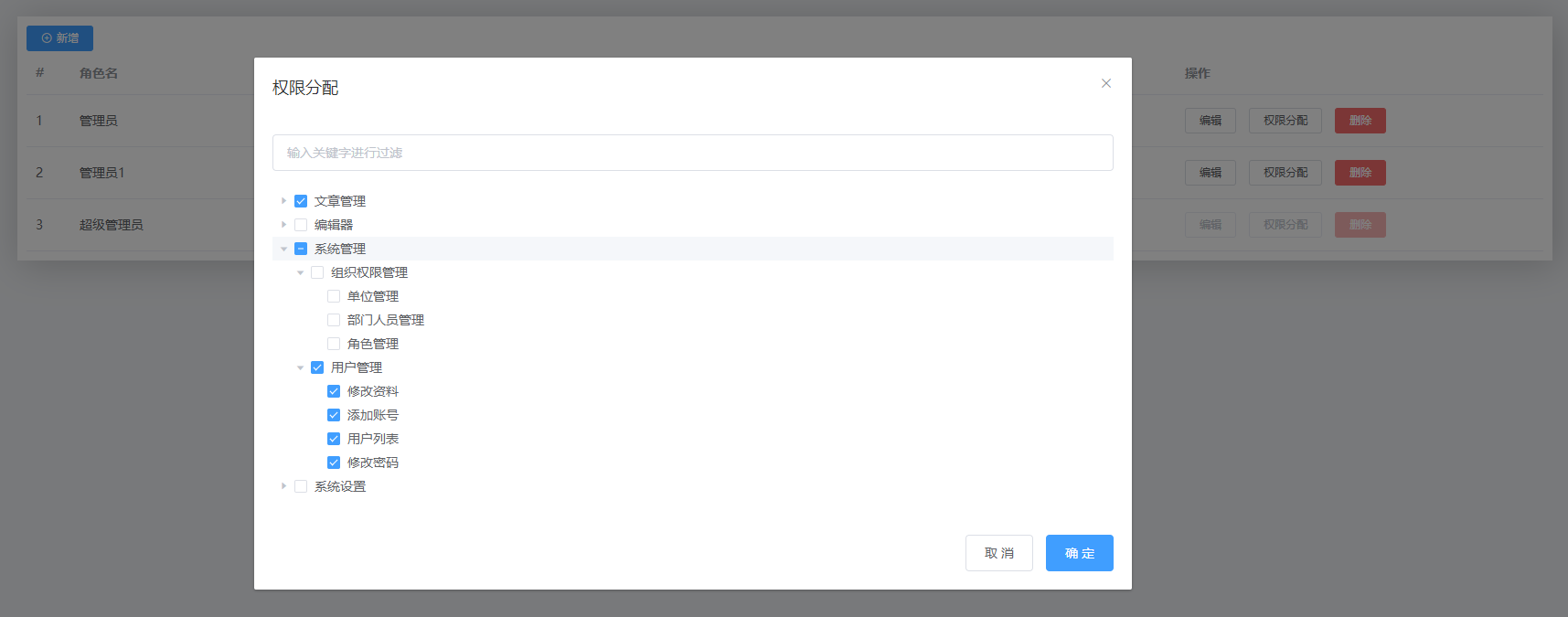
> 这个框架权限是由前端控制的,如果不需要这个模式,可以看我另外一个全栈CMS项目,后台使用的是node框架egg.js+mysql,那个的权限是由后台返回有权限的路由,前端拿到路由后和前端路由表做筛选,得出最终的路由表生成菜单,好处是角色和角色所拥有的权限路由是动态的后台可随时编辑配置的,两种模式按需使用
|
||
|
||
|
||
项目地址: https://github.com/Nirongxu/nodePlatform
|
||
## 1. vue-xuAdmin 后台模板简介
|
||
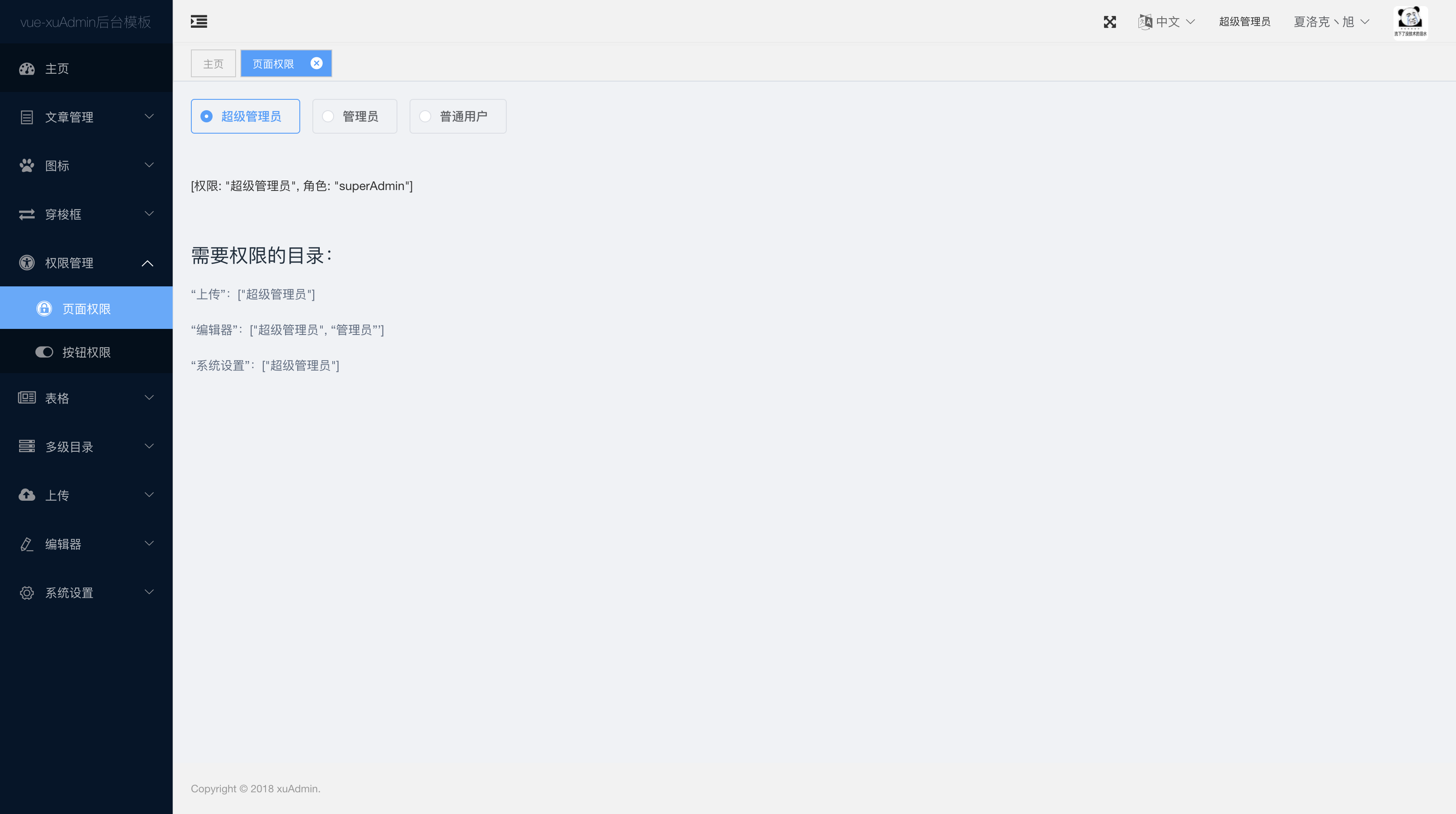
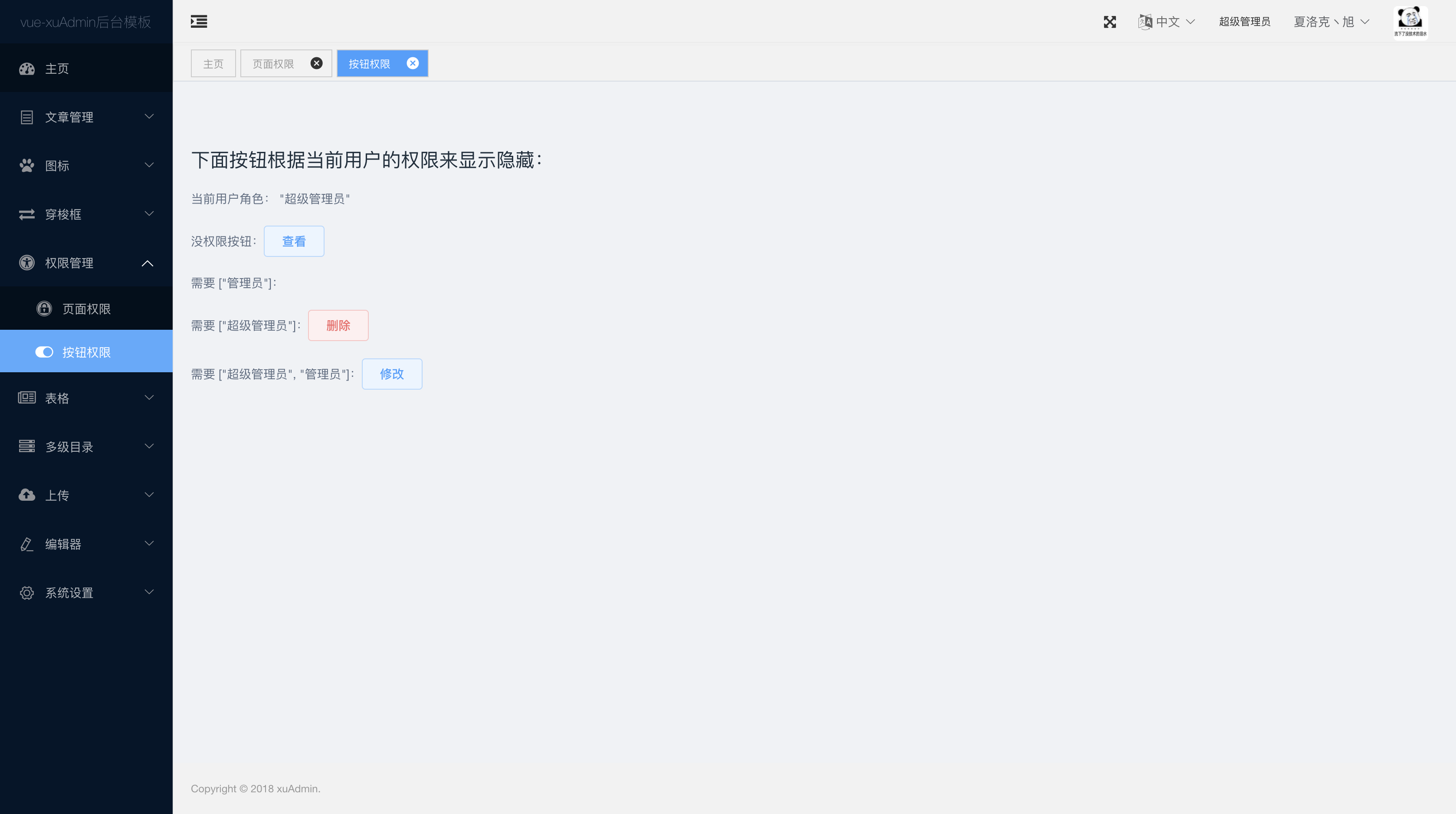
> 这个权限管理就是为了方便,跟系统安全真的不沾边,只是根据后台返回的角色信息来生成他可以看见的菜单和按钮,显示菜单的方法是根据权限删除掉路由表里没有权限的路由,然后再动态添加,原本包含没有访问权限的原路由表只要打开页面运行代码就已经不存在了,并且404页面除了过滤掉项目没有的路由外,同时每次的路由跳转都会鉴权。如果你知道了没有权限的路由试着强行跳转会因为没有权限直接会跳转404。
|
||
**就算通过查看代码或者其他方法获取全部路由,并且绕过404,花了这么大精力,,那你也看不到新世界的大门,因为所有数据都是通过后台请求返回来的,你没权限后台不会给你数据的,也不会让你去操作,,除非后台不验证权限,只要有人请求我就给你所有数据,,,,**
|
||
|
||
项目预览地址:https://nirongxu.github.io/vue-xuAdmin/dist/
|
||
|
||
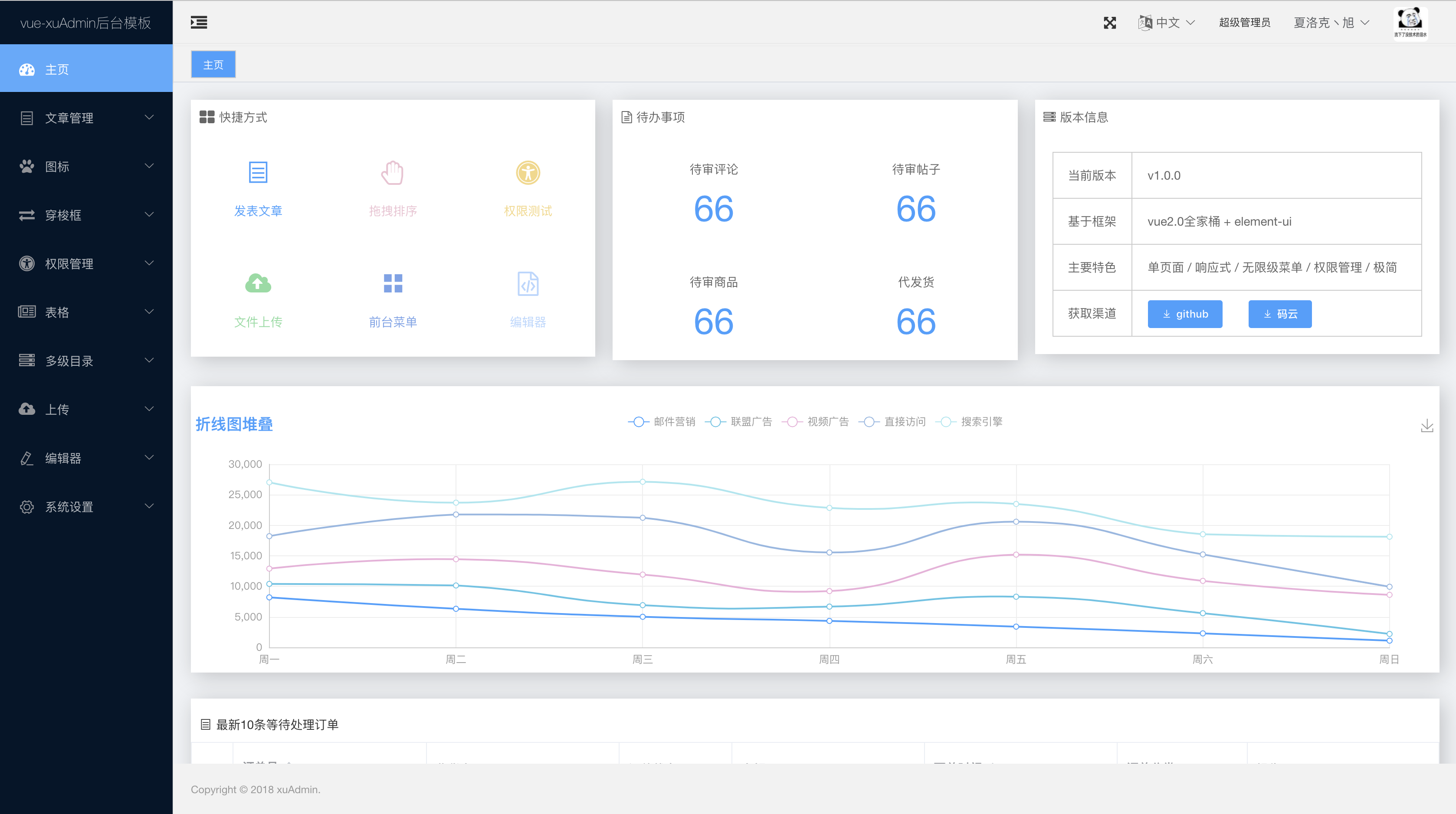
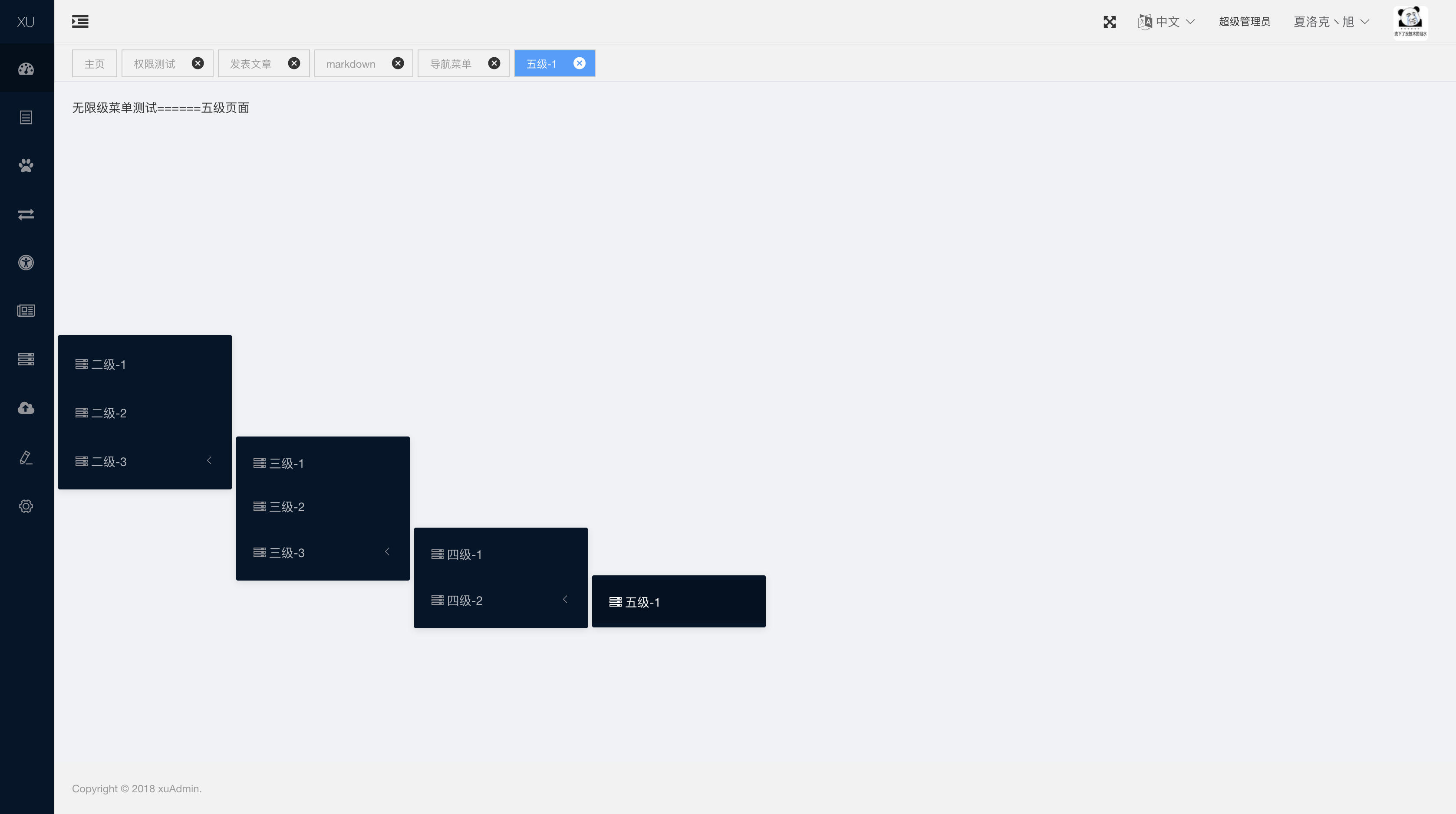
vue-xuAdmin是基于vue2.0全家桶 + element-ui 开发的一个后台模板,实现了无限级菜单,页面、按钮级别的权限管理,为了减少前后端的沟通成本,页面、按钮级别的权限验证和动态路由表的存储校验,也都由前端完成,这样前端新建页面或者删除页面都不需要告诉后台去增加删除路由表
|
||
|
||

|
||

|
||
|
||
|
||
|
||
|
||
## 2. 准备工作
|
||
-开发环境
|
||
- node.js v8.0+
|
||
- webpack v3
|
||
- git
|
||
|
||
-技术栈
|
||
- ES6+
|
||
- vue v2.5+
|
||
- vue-router
|
||
- vuex
|
||
- axios
|
||
- scss
|
||
- element-ui v2.4+
|
||
|
||
## 3. 实现功能
|
||
```
|
||
- 登录、退出
|
||
+ 基于token
|
||
- 状态拦截、404页面
|
||
- 动态加载路由
|
||
- 页面、按钮指令权限管理
|
||
- 无限级菜单
|
||
- 封装vue-i18n@8.x国际化组件
|
||
- 系统全屏化
|
||
- 菜单收缩
|
||
- icon 图标
|
||
+ tab标签导航
|
||
- 右击快捷功能
|
||
- 表格拖拽排序
|
||
- 编辑器
|
||
- markdown(编辑器目前只封装了这一个组件,重写了markdown编辑和预览的皮肤,实时获取:markdown,html,json 三种格式文本)
|
||
- Echarts 组件封装
|
||
|
||
封装了一些element-ui没有但是常用的组件,正常需要的功能element-ui里面都有,可以直接复制
|
||
|
||
```
|
||
## 4.开发使用
|
||
### 4.1开发
|
||
```
|
||
# 克隆项目
|
||
git clone https://github.com/Nirongxu/vue-xuAdmin.git
|
||
|
||
# 安装依赖 (如果安装失败就多安装几次,实在不行就换淘宝镜像)
|
||
npm install
|
||
|
||
# 启动项目 (已经配置好启动服务自动打开浏览器,如果没自动打开按照控制台输出的地址自己打开)
|
||
# 如果eslint语法检查报错,直接关掉eslint语法检查
|
||
npm run dev
|
||
|
||
# 启动单元测试
|
||
npm run unit
|
||
|
||
# 启动端到端测试
|
||
npm run e2e
|
||
|
||
# 启动编译打包生产环境
|
||
npm run build
|
||
```
|
||
|
||
### 4.2使用
|
||
在开发和使用之前请务必阅读 `vue-xuAdmin`的使用介绍,详细介绍了框架的开发和使用教程
|
||
- [Vue2.0 + ElementUI 手写权限管理系统后台模板(一)——简述](https://juejin.im/post/5c15332be51d4513ea6ed291)
|
||
- [Vue2.0 + ElementUI 手写权限管理系统后台模板(二)——权限管理](https://juejin.im/post/5c1552a65188250850604bb0)
|
||
- [Vue2.0 + ElementUI 手写权限管理系统后台模板(三)——页面搭建](https://juejin.im/post/5c156ae16fb9a049e660250c)
|
||
- [Vue2.0 + ElementUI 手写权限管理系统后台模板(四)——组件结尾](https://juejin.im/post/5c1605e76fb9a049b41c5cb0)
|
||
|
||
## 5. 项目结构说明
|
||
```
|
||
|------------build 构建脚本目录
|
||
|
||
|---------build.js 生产环境构建脚本
|
||
|
||
|---------check-version.js 检查node、npm等版本
|
||
|
||
|---------dev-client.js 开发服务器热重载脚本,主要用来实现开发阶段的页面自动刷新
|
||
|
||
|---------dev-server.js 运行本地开发服务器
|
||
|
||
|---------utils.js 构建相关工具方法
|
||
|
||
|---------vebpack.base.conf.js webpack基本配置
|
||
|
||
|---------vebpack.dev.conf.js webpack开发环境配置
|
||
|
||
|---------vebpack.prod.conf.js webpack生产环境配置
|
||
|
||
|------------config 项目配置
|
||
|
||
|---------dev.env.js 开发环境变量
|
||
|
||
|---------index.js 项目配置文件
|
||
|
||
|---------prod.env.js 生产环境变量
|
||
|
||
|------------dist 使用生产环境配置构建项目,构建好的目录放到该目录
|
||
|
||
|------------node_modules node的依赖包
|
||
|
||
|------------src
|
||
|
||
|---------assets 资源目录,这里的资源会被webpack构建
|
||
|
||
|---------components 组件目录
|
||
|
||
|---------i18n 多语言国际化
|
||
|
||
|---------router
|
||
|
||
|-----------index.js 前端路由
|
||
|
||
|---------views 页面文件
|
||
|
||
|---------vuex 全局状态管理目录
|
||
|
||
|--------App.vue 根组件
|
||
|
||
|--------main.js 入口js文件
|
||
|
||
|------------static 纯静态资源,不会被webpack构建
|
||
|
||
|------------index.html 入口页面
|
||
|
||
|------------test 单元测试
|
||
|
||
|------------.babelrc ES6语法编译配置
|
||
|
||
|-----------.editorconfig 定义代码格式
|
||
|
||
|-----------.gitignore git 上传需要忽略的文件
|
||
|
||
|-----------package.json 项目基本信息
|
||
|
||
---------------------
|
||
```
|
||
## 结语
|
||
如果这个框架对你有帮助的话,请给个星点个star
|
||
|
||
## 🤝 Contributing
|
||
|
||
Contributions, issues and feature requests are welcome!<br />Feel free to check [issues page](https://github.com/Nirongxu/vue-xuAdmin/issues).
|
||
|
||
## Show your support
|
||
|
||
Give a ⭐️ if this project helped you!
|
||
|
||
## 📝 License
|
||
|
||
Copyright © 2019 [NiRongxu](https://github.com/NiRongxu).<br />
|
||
This project is [MIT](https://github.com/Nirongxu/vue-xuAdmin/blob/master/LICENSE) licensed.
|
||
|
||
***
|
||
_This README was generated with ❤️ by [readme-md-generator](https://github.com/kefranabg/readme-md-generator)_
|